Build your profile
Add your occupations, country and activity areas. You can list several skills and publish offers in different categories.
Your everyday work has a perspective that AI needs. Create a profile, publish an offer and upload recordings to a marketplace built for physical intelligence.
Create your contributor account
One profile can include several occupations and activities. Create separate offers for different kinds of footage, and control whether each offer joins category-wide batches.
Open your studioAdd your occupations, country and activity areas. You can list several skills and publish offers in different categories.
Describe the tasks you can record and set the price for your individual collection. Optionally join category batches at the displayed batch rate.
Send original MP4 or WebM files privately and describe the setting. NVIDIA analysis generates descriptions and timed actions when the production service is connected.
A media worker measures the original. NVIDIA generates structured labels; automatic acceptance gates keep incomplete, uncertain or flagged footage off sale.
The marketplace supports individual contributor collections and category batches combining footage from several contributors.
A buyer licenses the approved recordings in your offer at your direct hourly price. You choose that price and can pause the offer.
If you opt in, your approved recordings can join the matching category batch. The current batch rate is €1 per approved hour, with 0% platform commission.
Your share follows the duration of your recordings in the purchased batch. A €1,000 contributor pool with 300, 500 and 200 hours allocates €300, €500 and €200 respectively.
Paid purchases and bank payouts are not open yet. You can create your profile, publish offers and submit recordings privately. The example explains future allocation; it is not current inventory or guaranteed earnings.
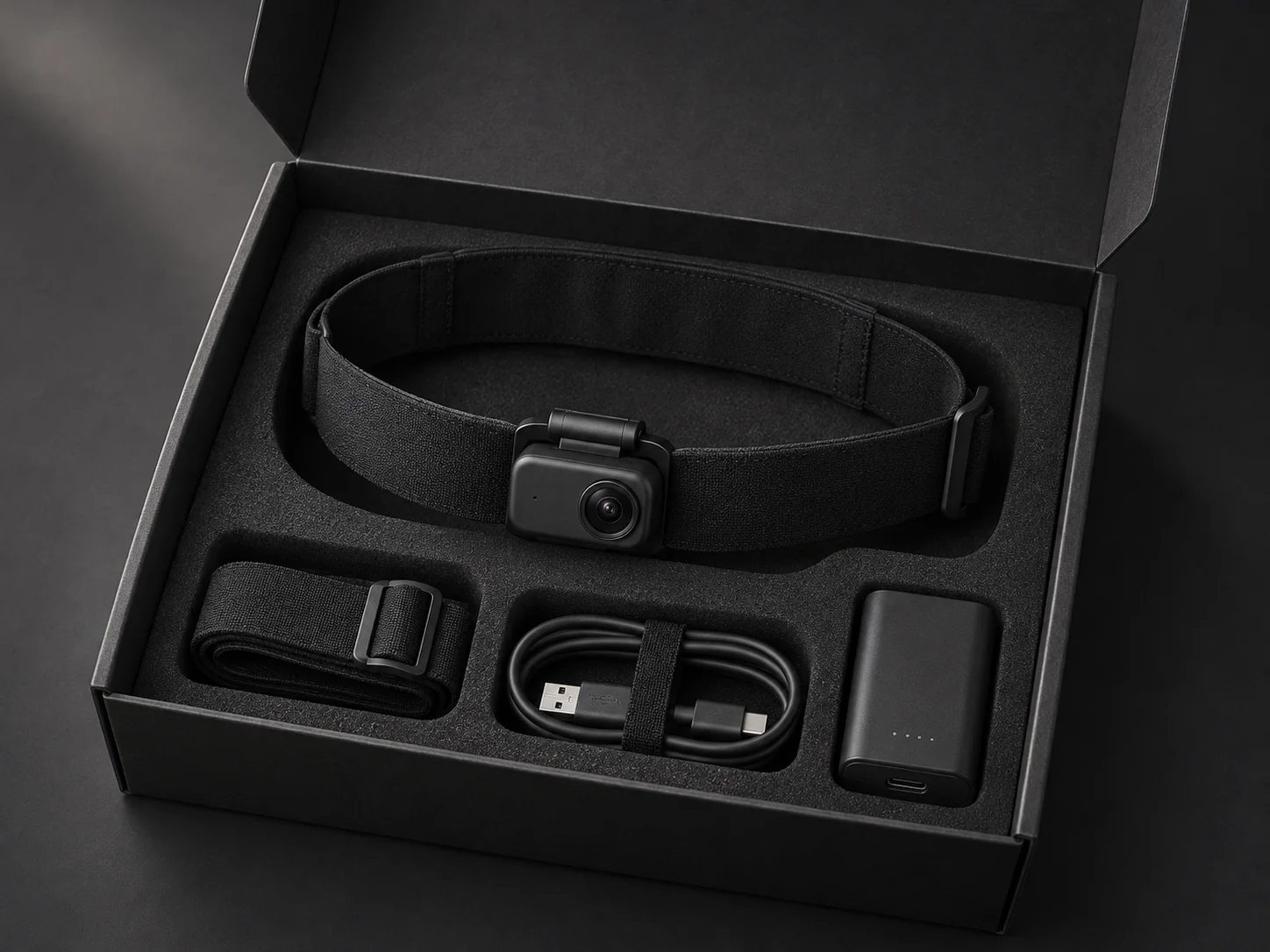
Use a camera that keeps the task visible. A phone, wearable camera or fixed camera can work; declare the actual viewpoint. Equipment for any managed program must be agreed separately.
You know the task. Explain it in everyday language, without guessing at anything the camera does not show.
Name the task, setting, objects and tools. Enter the frame rate from your recording settings. Do not include a private home or workplace address.
Use seconds from the start of the video. For example: 0–12 seconds, “water”, “potted plant”. The studio can copy start and end times from your video preview.
Mark completed, not completed or uncertain. Add a goal or note when it explains the visible action. Manual labels are optional context. The AI layer is generated separately and keeps its provenance.
Automatic descriptions and basic timed actions form the default analysis layer. Boxes, masks, object tracking, calibrated pose and depth require a separate specification; they are not expected from every contributor.
Yes. Your profile supports multiple occupations and activities. Create an offer for each distinct collection category so buyers can find the right content.
Describe the task and setting. Your own timed labels are optional. NVIDIA analysis produces a description, visible actions, objects, tools and quality flags in a versioned JSON format. Specialized tracking, segmentation or pose work is agreed separately.
Uploads stay private during processing. Complete analyses that pass the automatic acceptance criteria can join the marketplace without routine human review. Uncertain or flagged results stay unavailable. Analysis waits until the production service is connected.
No. Uploading and approval do not guarantee a sale. Paid purchases and bank payouts are not open yet. Once purchasing is enabled, earnings are allocated only after a verified payment for an order containing your footage.
Yes. Each offer has a category-batch participation setting. Direct collection pricing is independent from the €1-per-hour batch rate.
No kit is included automatically. You can use your own equipment if the recording meets the requirements. Any managed equipment program needs a separately agreed brief.
Yes. Use Withdraw in your video library to remove a recording from new marketplace orders. Existing paid licenses remain valid. Unpaid saved selections are checked again before checkout and cannot newly purchase withdrawn footage. Keep your original copy because an unreferenced stored file may be removed.
Paid purchases and bank payouts are not open yet. When available, payouts require eligible onboarding and identity checks. A visible allocation and a completed bank payout are different states.